
UX Designer vs Product Designer: Responsibilities, Tools, and Portfolios
Updated on January 24, 202613 minutes read
If you're exploring design careers, you've likely seen job titles that sound similar but have different strengths. "UX Designer" and "Product Designer" are two of the most commonly confused roles in tech.
That confusion can make it harder to choose what to learn, how to position yourself, and what to include in your portfolio. It can also lead to applying for roles that don't match what you actually enjoy doing.
This article is for adults considering a career change, upskilling, or preparing for a design-focused job search. You'll learn what each role typically owns, which tools are most used, and how to build a portfolio that gets you interviews.
UX Designer vs Product Designer: the practical difference
In many companies, these roles overlap because both focus on improving how people experience a product. The difference usually shows up in scope, ownership, and how success is measured.
A UX Designer is often evaluated on usability, clarity, accessibility, and how well the experience works for real users. A Product Designer is often evaluated on end-to-end delivery, product outcomes, and how well design decisions balance users, business, and engineering constraints.
Titles also vary a lot across companies, so you should treat the job description as the "real title." One company's UX Designer may do Product Designer work, and vice versa.
What does a UX Designer do?
UX designer responsibilities center on understanding users and shaping experiences that feel simple, consistent, and helpful. UX Designers often collaborate with product managers, researchers, content designers, and engineers to improve flows and remove friction.
In some teams, UX Designers focus mostly on interaction design and research-driven decisions. In other teams, they may also contribute to UI, but their strongest value is usually in how they structure and validate the experience.
User research and insight synthesis
Many UX Designers are expected to plan and run research, especially in smaller companies. Even when there's a dedicated researcher, UX Designers usually participate in interviews, analysis, and translating findings into design direction.
Your job isn't just collecting feedback. It's identifying patterns and turning them into actionable insights. Strong UX work connects user pain points to clear design opportunities, with evidence that supports decisions.
Information architecture and flows
A big part of UX is making complex things feel easy. UX Designers often create information architecture, navigation models, and flows that help users accomplish tasks without getting lost.
This is especially important for products with multiple steps, lots of content, or high-stakes actions. Think onboarding, checkout flows, dashboards, settings, forms, and any experience where confusion causes drop-offs.
Wireframes and interaction design
Wireframes help define structure and interaction before visual polish. UX Designers use low-to-mid fidelity wireframes to explore layouts quickly and validate ideas early.
Interaction design also means thinking beyond the "happy path." Great UX Designers plan for edge cases like errors, empty states, unusual user behavior, and accessibility needs.
Prototyping for validation
Prototypes let you test ideas before building them. A UX Designer might create clickable prototypes to evaluate flow logic, clarity of labels, and whether users can complete tasks smoothly.
Prototyping doesn't always need to be high fidelity. Often, the best prototypes are simple enough to build quickly, but realistic enough to reveal usability issues early.
Usability testing and iteration
Testing is one of the clearest differentiators in UX designer responsibilities. UX Designers often run moderated or unmoderated usability tests and track task success, confusion points, and user feedback.
The goal is to iterate based on evidence, not opinions. In interviews, UX candidates often stand out by showing how testing changed their design decisions and what they improved as a result.
Accessibility and inclusive design
Accessibility is increasingly expected as a baseline skill. UX Designers should be able to design experiences that work for different abilities, devices, and contexts.
You don't have to be an accessibility specialist to show competence. Including accessible patterns, clear error handling, readable typography, and keyboard-friendly interactions can strengthen your portfolio quickly.
What does a Product Designer do?
Product designer responsibilities usually cover UX plus UI, along with broader product thinking. Product Designers often own a feature or workflow from early discovery through launch and iteration.
In many product-led teams, Product Designers are expected to deliver polished screens, collaborate deeply with engineering, and connect design decisions to measurable outcomes like adoption, retention, or conversion.
Problem framing with product and business goals
Product Designers spend a lot of time defining what problem matters most, and why now. They work closely with product managers to align on goals, constraints, and what success looks like.
This is where trade-offs show up. You might be balancing time, scope, technical limitations, user impact, and business priorities, then defending those decisions clearly.
End-to-end design ownership
Product Designers often drive a full design cycle, from discovery to final delivery. That includes research, ideation, prototyping, UI execution, developer handoff, and post-launch iteration.
Because of this, product design portfolios tend to highlight "what shipped" and "what changed after launch." Hiring teams want to see that you can finish strong, not just explore ideas.
UI craft and visual quality
Many Product Designers are responsible for high-quality UI. That means creating a clean hierarchy, consistent spacing, strong typography, and a coherent visual system that scales.
Even in companies with design systems, there's still plenty of craft involved. Product Designers often refine components, design responsive behaviors, and ensure the experience feels cohesive across screens.
Design systems and component thinking
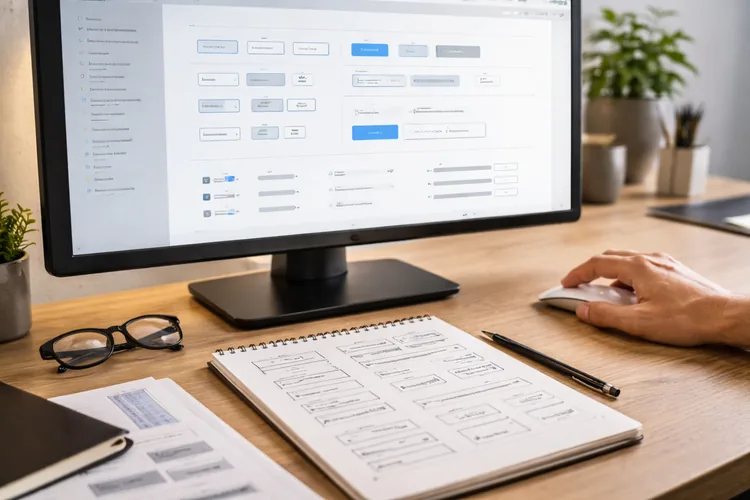
Product Designers frequently work with design systems because systems increase speed and consistency. You might contribute new components, define variants, and document usage guidelines for engineers and other designers.
This kind of thinking is especially valuable in growing teams. It shows you can design not just for one screen, but for a product that evolves.
Collaboration, handoff, and QA

Product Designers are often heavily involved in implementation. They collaborate with engineers, clarify details, and ensure the build matches design intent through QA and iteration.
This can include specs, edge cases, states, and interaction rules. Hiring teams often look for designers who make engineering collaboration easier rather than more complicated.
Experimentation and measuring impact
In many companies, Product Designers work alongside PMs to define experiments and evaluate results. You might track changes through product analytics, user feedback, and behavioral data. You don't need to be a data analyst, but you should be comfortable with outcomes. Showing how you learn from metrics and iterate based on signals is a major product design advantage.
Where UX Designers and Product Designers overlap
Both roles require strong problem-solving, empathy, and communication. Both roles use prototyping, feedback loops, and collaboration to move from idea to a better user experience. The difference is typically not about what you can do, but what you're expected to own. If you're early in your journey, building strong fundamentals can keep both paths open.
Tools: what UX Designers and Product Designers use

Tool stacks vary, but the core categories stay consistent across most modern teams. The biggest difference is usually depth. UX Designers may go deeper into research workflows, while Product Designers often go deeper into UI, systems, and delivery. If you're building skills for the first time, focus on mastering a small toolkit well. Being fluent in a few tools beats being "familiar" with ten.
Design and prototyping tools
Most teams use Figma for UI, prototyping, components, and collaboration. It's widely used because it supports design systems and developer handoff in one workspace. UX Designers typically use prototyping to validate flows and usability. Product Designers use prototyping too, but may spend more time refining components, states, and high-fidelity UI.
Research and synthesis tools

For planning studies, organizing insights, and aligning teams, tools like FigJam or Miro are common. Many teams also use research repositories to tag findings and reuse insights over time. If a role emphasizes UX research, showing that you can structure insights clearly is important. Even simple synthesis, like themes, quotes, and opportunity areas, can demonstrate maturity.
Documentation and collaboration tools
Design work succeeds when it's communicated well. Notion, Confluence, and shared docs are often used to capture decisions, constraints, and rationale. Short Loom walkthroughs and clear async updates can also raise your perceived seniority. When hiring managers see crisp communication, they assume smoother collaboration.
Delivery and handoff tools
Figma's developer handoff features are common in modern workflows. Teams may also use Jira or Linear to track work and manage releases. Product Designers are typically expected to be comfortable with delivery details. UX Designers may do handoff too, but Product Designers often own more of the end-to-end implementation clarity.
Analytics and product insight tools
Analytics tools like Google Analytics, Amplitude, or Mixpanel show where users drop off and what features drive engagement. Heatmaps and session recordings can provide qualitative context for behavior.
Product Designers tend to use these tools more frequently, especially in product-led environments. Still, UX Designers also benefit from understanding user behavior data alongside research.
Responsibilities compared: how the work looks day-to-day
When people search "UX designer vs product designer," they often want a realistic picture of what the week looks like. In practice, UX Designers may spend more time on discovery, testing, and flow improvements.
Product Designers may spend more time moving from concept to high-fidelity UI, coordinating with engineering, and ensuring the feature is ready to ship. Both roles require constant alignment and iteration.
Portfolio differences that matter in hiring
A portfolio is not just a gallery of screens. It's proof that you can solve problems, communicate decisions, and deliver work that fits the role you're applying for.
If your portfolio doesn't match the job title, feedback often sounds like, "This is pretty, but where's the process?" or "This is thoughtful UX, but where are the outcomes?" Aligning your portfolio with the role is one of the fastest ways to improve interview results.

What a UX portfolio should show
A UX portfolio should focus on how you identified the problem, what you learned about users, and how you improved usability through iteration. Hiring teams want to see your thinking, not just the final design. Strong UX case studies include research insights, user flows, wireframes, prototypes, usability findings, and clear explanations of what changed and why. If you can show accessibility considerations, that's a strong signal too.
What a Product Designer portfolio should show
A Product Designer portfolio should communicate end-to-end ownership and decision-making under constraints. Hiring teams often want to see how you go from discovery to high-fidelity UI and then to a shippable outcome. The strongest product design case studies include trade-offs, component and system thinking, collaboration details, and what happened after launch. Even if you don't have metrics, you can show what you would measure and how you'd iterate.
If you don't have real client work yet
If you're transitioning careers, it's normal not to have shipped products in a workplace. You can still build credible projects by choosing realistic problems and documenting your process clearly. A redesign of a confusing onboarding, a small dashboard workflow, or a mobile feature improvement can become a strong case study when the problem is specific and the reasoning is evidence-based.
A simple way to structure your case studies
For UX-focused case studies, aim for clarity and iteration. Keep the narrative tight: context, research, problems, solutions, testing, and improvements. For product-focused case studies, emphasize ownership and outcomes. Show alternatives you explored, trade-offs you made, how UI decisions support goals, and how you would evaluate success after launch.
Skills to build for each path
Both roles share foundational skills like user empathy, prototyping, feedback handling, and communication. If you're starting fresh, aim to build a T-shaped skill set: broad fundamentals with deeper strength in one area. This approach helps you apply confidently even when job titles vary. Your portfolio becomes the evidence of what you can own.
Skills that help UX Designers stand out
UX Designers often stand out through strong research thinking and clarity of flows. If you can synthesize insights into simple design decisions, you'll be valuable in almost any team. Usability testing skills are also a differentiator, especially when you can show how findings changed your design. Accessibility awareness adds another layer of credibility.
Skills that help Product Designers stand out
Product Designers often stand out through UI craft, component thinking, and confident decision-making. If you can show you understand constraints and can still deliver quality, teams trust you with a bigger scope.
Being able to talk about outcomes, what you measured, what you learned, and how you iterated helps you match the expectations of modern product teams.
Which role should you choose?
If you're unsure whether to target UX or product design, start by choosing the work you want to do most days. Your preferences matter because design careers are built on repetition and improvement over time. It also helps to look at job posts in your target market and identify patterns in requirements. If most postings want end-to-end ownership and UI craft, product design may be the clearer target.
Choose UX Design if you enjoy
If you love understanding users, simplifying complex flows, and proving decisions through testing and iteration, UX can be a great fit. UX roles reward curiosity, structure, and empathy applied with rigor. You may enjoy UX, especially if you like asking, "Where do people get stuck?" and then designing practical solutions that remove friction.
Choose Product Design if you enjoy
If you like owning a feature from idea to launch, balancing trade-offs, and refining UI quality, product design may fit better. Product Designers often work fast, ship improvements, and iterate continuously.
You may also enjoy product design if you like connecting design decisions to outcomes like sign-ups, activation, and retention, while still advocating for users.
Company context matters more than the title
In large organizations, UX Designers may be more specialized, with researchers and UI designers as separate roles. In startups and scale-ups, Product Designers often cover broader responsibilities because teams are smaller.
Agencies may use UX titles but expect speed, presentation skills, and adaptability across clients. Always map your portfolio to the responsibilities in the job description, not the label.
How to become a UX Designer or Product Designer
There's no single path into design, and many successful designers come from non-tech backgrounds. What matters is building job-relevant skills and proving them with a portfolio that matches real hiring expectations.
If you're career-changing, consistency beats perfection. Small projects completed with strong storytelling will take you further than half-finished concepts.
Step 1: Learn fundamentals without getting stuck
Start with core UX principles, UI basics, and prototyping. Learn how to define problems, map flows, and create testable prototypes in tools like Figma. Avoid spending months only watching videos. Your learning should produce tangible artifacts, like wireframes, prototypes, and case study drafts, so you build momentum.
Step 2: Build 2-3 portfolio projects with the right scope
If you want UX roles, choose problems that highlight flows, clarity, and usability. Onboarding, checkout, and form-heavy experiences are excellent because they make friction visible and measurable. If you want product roles, choose projects where you can demonstrate UI craft and end-to-end delivery. Include components, states, responsive behavior, and a plan for measuring success.
Step 3: Practice collaboration habits, even solo
Hiring teams want designers who communicate clearly with PMs and engineers. Even if you're working alone, you can simulate collaboration by documenting constraints, decisions, and handoff details. Add a short "specs and edge cases" section to your case studies. That single addition often makes portfolios feel more job-ready and realistic.
Step 4: Get feedback and iterate on your portfolio
Portfolio feedback is one of the fastest ways to improve. You learn what recruiters scan for, what hiring managers want to hear, and where your story is unclear. Try to collect feedback from different sources, peers, mentors, and industry communities, then iterate your case studies based on repeated patterns in comments.
Step 5: Use structured support to accelerate progress
If you want a guided path with accountability, a bootcamp can help you avoid guesswork and build a portfolio with clearer direction. This is especially useful if you're balancing learning with work or family responsibilities.
For example, Code Labs Academy offers live online bootcamps (including a dedicated UX/UI Design Bootcamp with flexible learning and Career Services to help you build job-ready skills, create portfolio projects, and prepare for interviews.
If you're comparing options, you can explore our bootcamps, talk to an advisor, to see what you'll build and how the support works.
Conclusion: build the portfolio that matches the role you want
The biggest win in the UX designer vs product designer debate is clarity. Once you know which scope you want, you can build case studies that match what hiring teams expect to see.
UX Designers are often judged on research, usability, flows, and iteration. Product Designers are often judged on end-to-end ownership, UI craft, trade-offs, and outcomes.
If you're ready to move forward, choose a target role, build 2-3 aligned case studies, and get feedback until your portfolio reads as unmistakably job-ready.
Explore Code Labs Academy programs to start building the skills, portfolio, and career support you need, then apply when you're ready to make the switch.